
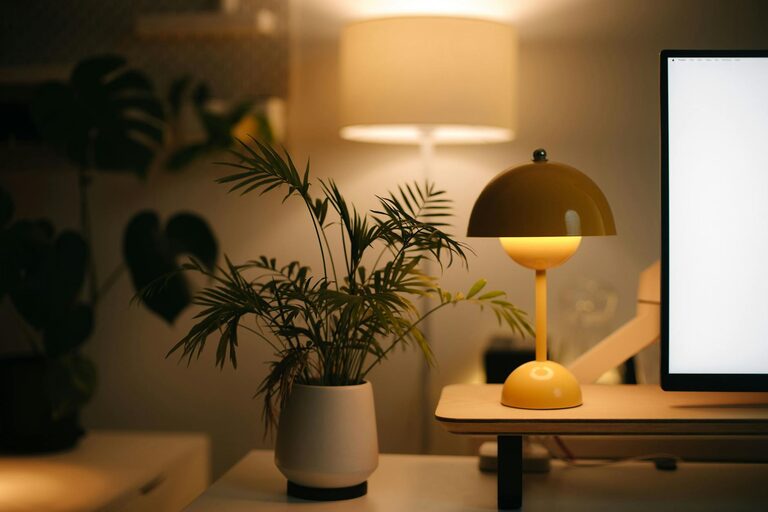
Creating a cozy and inviting home workspace is essential for anyone who spends considerable time working from home. A well-designed workspace not only increases productivity but also promotes comfort and well-being. Whether you have a dedicated room or a small corner in your living area, with a few thoughtful tips, you can transform it into a place that feels both functional and welcoming.
Why a Cozy Workspace Matters
Spending hours at your desk can be draining if your environment is uncomfortable or uninspiring. A cozy workspace helps reduce stress, improve focus, and even enhance creativity. When you enjoy your surroundings, work feels less like a chore and more like a pleasant activity.
Choosing the Right Spot
Before diving into decor and organization, consider the location of your workspace.
– Natural Light: Select a spot near a window to take advantage of natural light. Sunlight can boost mood and reduce eye strain.
– Quiet Area: Choose a quieter part of the home to limit distractions.
– Space Efficiency: Make sure the area fits your desk and chair comfortably, leaving room to move without clutter.
Comfortable and Ergonomic Furniture
Investing in the right furniture is key to comfort.
– Ergonomic Chair: A supportive chair with adjustable height and backrest helps maintain good posture.
– Desk Size: Choose a desk large enough for your computer, notebooks, and other essentials without feeling cramped.
– Footrest and Accessories: Consider accessories like a footrest or wrist support to further improve comfort.
Personalize Your Space
Small touches can make a workspace feel more inviting.
– Plants: Adding greenery improves air quality and adds a calming effect.
– Artwork and Photos: Personal photos or inspiring art can give the space character.
– Soft Textiles: A cozy rug or a soft throw on the chair makes the environment warmer.
Lighting Matters
Good lighting is crucial for both comfort and productivity.
– Layered Lighting: Combine natural light with ambient light and task lighting.
– Desk Lamp: A flexible desk lamp helps reduce eye strain during detailed tasks.
– Warm Light Bulbs: Choose bulbs that emit warm, soft light to create a cozy atmosphere.
Organize to Enhance Focus
Clutter can be distracting and stressful. An organized workspace keeps you focused.
– Storage Solutions: Use shelves, drawers, or baskets to keep supplies tidy.
– Cable Management: Keep cords neat with clips or cable organizers.
– Minimalism: Keep only what you need on your desk to maintain a clean look.
Add Comfort and Convenience
Little additions can make a big difference.
– Temperature Control: Use a fan, heater, or humidifier as needed for comfort.
– Refreshment Station: Keep a water bottle or tea nearby to stay hydrated.
– Noise Control: Use noise-canceling headphones or soft background music to improve concentration.
Technology Setup
Ensure your technology supports your productivity without causing frustration.
– Monitor Placement: Position monitors at eye level to avoid neck strain.
– Keyboard and Mouse: Choose ergonomic models to prevent discomfort.
– Reliable Internet: A strong internet connection is vital for smooth remote work.
Keep It Flexible
If your space is limited or multi-purpose, make your setup adaptable.
– Foldable Furniture: Desks or chairs that can be stored away when not in use save space.
– Portable Storage: Use rolling carts or boxes for easy access and tidying.
– Dual-purpose Decor: Choose items that look good and serve a function, like decorative boxes.
Final Thoughts
Designing a cozy and inviting home workspace is all about combining comfort, functionality, and personal style. By paying attention to lighting, furniture, organization, and small personal touches, you can create a space that makes working from home more enjoyable and productive. Start with small changes and adjust your setup as you learn what works best for you.
Remember, your workspace should reflect you — it should be a place where you feel comfortable, inspired, and ready to tackle the tasks of the day.